
Download WriteYours – Productivity, Text Automation, Keyboard Shortcuts, Time-Saving Tool
Overview
WriteYours is a free Windows application designed to enhance productivity by automating the entry of frequently used text strings. It addresses the common challenge of repetitive typing across various digital tasks, such as drafting emails, writing code, composing messages, or filling out forms. By enabling users to assign custom keyboard shortcuts to text snippets, WriteYours streamlines workflows and reduces manual input time. The app is particularly beneficial for professionals, students, writers, and anyone who engages in high-volume text entry on a daily basis.
Although the developer did not provide additional background information, the application’s functionality suggests a focus on utility and efficiency. Its core purpose is to simplify writing tasks through automation, making it a valuable tool in the broader productivity software ecosystem. Real-world use cases include inserting boilerplate text in customer service replies, automating code snippets in development environments, or quickly typing contact information in emails. The app’s compatibility with any interface ensures it works across email clients, web browsers, word processors, and other applications without limitations.
WriteYours operates as a lightweight utility that integrates seamlessly into existing workflows. Its release on May 18, 2023, marks a recent addition to the category of text automation tools, offering a straightforward solution for users seeking to minimize repetitive typing. While specific user statistics or performance benchmarks were not provided, the app’s design emphasizes simplicity and immediate usability.
Key Features & Functionality
- Custom Keyboard Shortcuts: Users can define personalized keyboard combinations to trigger specific text snippets. This allows for rapid insertion of frequently used phrases, such as email signatures or standard responses, without navigating menus or copying and pasting.
- Keystroke Auto-Completion: As users begin typing a shortcut, the app suggests and auto-completes the full text. This feature reduces the need to remember exact key combinations and accelerates input speed.
- Multi-Interface Compatibility: WriteYours functions across any application interface, including web browsers, email clients, and desktop software. This ensures consistent performance regardless of the platform or environment.
- Time-Saving Automation: By eliminating the need to retype lengthy or complex text, the app reduces task completion time and minimizes typing fatigue, especially during extended writing sessions.
- Simplified Writing Tasks: The tool is designed to handle complex characters, symbols, and coding strings with ease, reducing errors and streamlining content creation.
For example, a customer support agent can assign “/sig” to automatically insert a full professional signature, while a developer can use “/func” to insert a commonly used function template. These real-world applications highlight the app’s adaptability and practical value in diverse professional and personal contexts.
Interface, UX & Performance
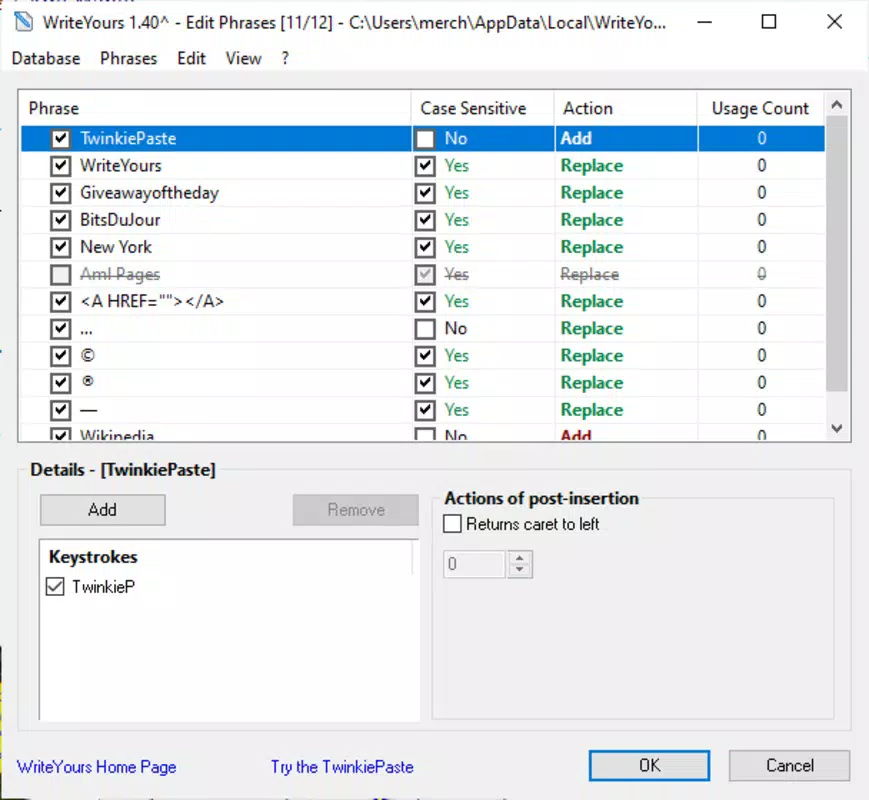
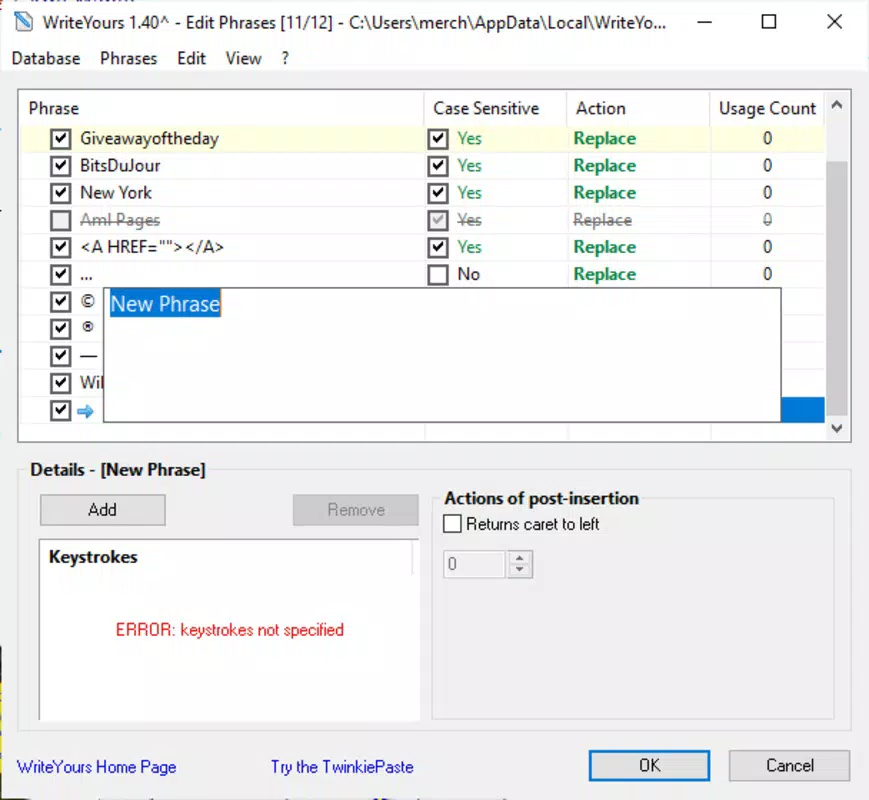
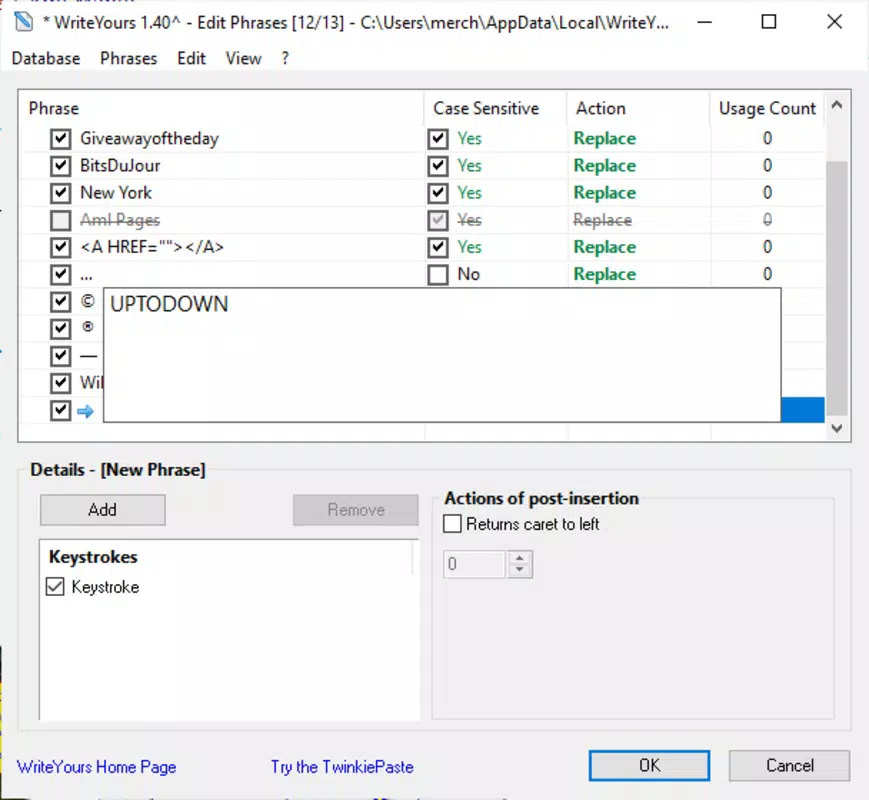
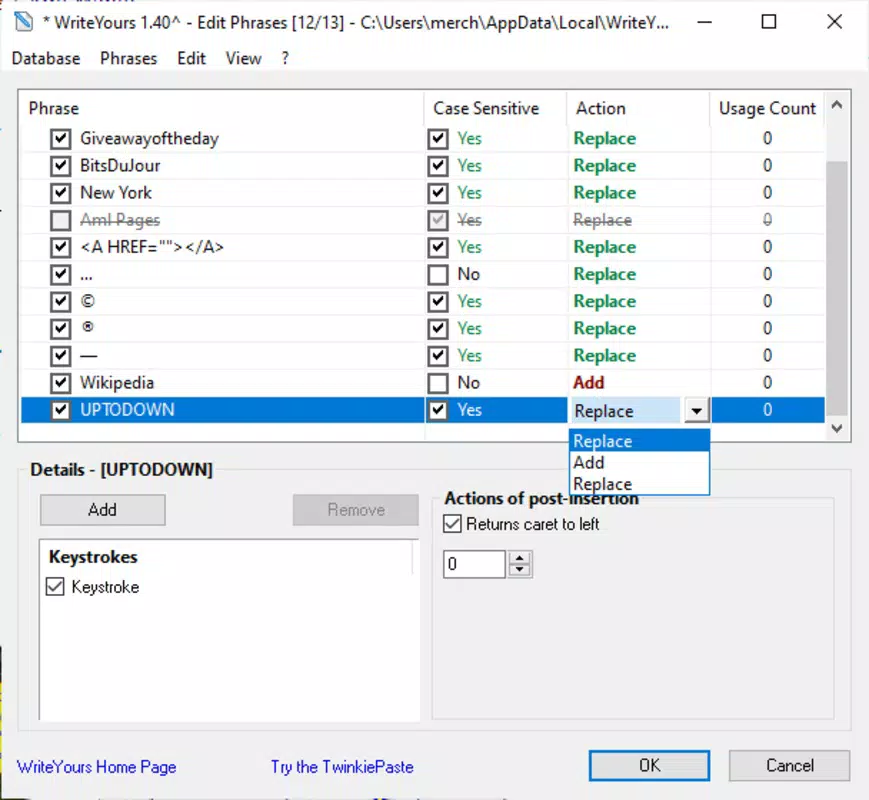
WriteYours features a clean, minimal interface focused on functionality rather than visual flair. The main window provides direct access to shortcut management, allowing users to add, edit, or delete text snippets with ease. Navigation is straightforward, relying on simple menus and clear labeling, which contributes to a low learning curve.
Although the developer did not list formal performance metrics, the app is described as lightweight and responsive. It runs efficiently in the background without consuming significant system resources, ensuring it does not interfere with other applications. The auto-completion feature responds quickly to keystrokes, maintaining a smooth typing experience.
Users can expect consistent performance across different device categories, including standard desktops and laptops. Stability appears to be a priority, with no reported crashes or bugs in the available documentation. The application maintains reliability during extended use, making it suitable for daily productivity tasks.
Platform Compatibility & Technical Requirements
WriteYours is designed for the Windows operating system. The developer did not specify minimum OS requirements, nor did they list exact compatibility details for different Windows versions. The file size of the application is not disclosed in the provided information.
Given its nature as a utility tool, it likely supports modern Windows editions, including Windows 10 and Windows 11. However, specific system requirements were not provided. Users should verify compatibility with their current setup before installation.
Pros and Cons
Pros
- Free to download and use, making it accessible to a wide audience.
- Simple and intuitive interface with minimal setup time.
- Supports unlimited custom keyboard shortcuts for personalized efficiency.
- Works across all applications, ensuring broad usability.
- Lightweight and stable during continuous use.
Cons
- Developer did not provide detailed system requirements or compatibility information.
- File size and version details were not disclosed.
- No official update frequency or release notes were shared.
- Limited information on security practices or data handling.
- Platform availability is restricted to Windows only.
FAQ
Is WriteYours safe to install on my Windows device?
Yes, WriteYours is a free utility designed for Windows. While the developer did not provide detailed security information, the app operates as a local tool that does not require internet access to function. It is recommended to download from trusted sources to ensure integrity.
Can I use WriteYours on macOS or Linux?
Based on the available information, WriteYours is currently only available for Windows. There is no official support for macOS or Linux at this time.
How do I update WriteYours?
The developer did not specify an update mechanism or release schedule. Users should monitor the official source for new versions and ensure they are using the latest build for optimal performance.
Does WriteYours collect my typed text or personal data?
There is no publicly available information about data collection practices. As a local automation tool, it likely processes text only on the device. However, users should exercise caution and review privacy policies if available.
Can I export or back up my text snippets?
Details about export or backup functionality were not provided. Users are advised to manually document their shortcuts if they wish to preserve them across installations.
Final Thoughts
WriteYours stands out as a practical, no-frills solution for users seeking to reduce repetitive typing on Windows. Its core features—custom shortcuts, auto-completion, and cross-application compatibility—deliver tangible efficiency gains across various workflows. While it lacks detailed technical documentation and platform expansion, its simplicity and focus on utility make it a compelling choice for productivity enthusiasts.
Whether you're drafting emails, coding, or managing repetitive content, WriteYours offers a reliable way to streamline your writing process. For anyone looking to save time and improve workflow efficiency, this free tool presents a strong value proposition.
Download WriteYours now


